Power On Guide for Washing Machines
Learn how to power on a washing machine safely with a practical, model-agnostic checklist that covers outlets, cords, door latches, and start controls.


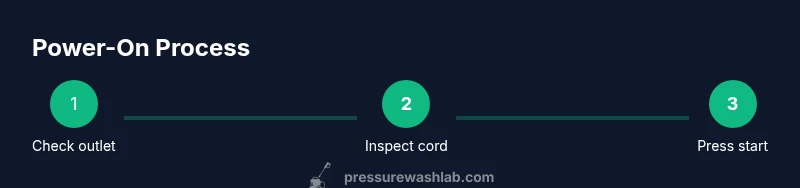
Powering on a washing machine begins with a safe power source, a proper door/lid latch, and using the start control. Verify the outlet, check the circuit breaker, inspect the cord for damage, plug in firmly, and press the power button or start cycle. If it still won’t start, follow the model-agnostic checklist below.
Understanding the Power-On Process
According to Pressure Wash Lab, powering on a washing machine safely starts with a solid power source and a ready start control. The general flow is simple: ensure the outlet provides 120 volts, confirm the cycle is not blocked by a door or lid switch, and use the correct start method for your model. Most machines require three things: a live power supply, a closed/latched door, and an operable control panel. Once those are in place, you press the power button or select a start cycle. If the unit is unresponsive, the issue is almost always upstream in the power path rather than within the motor. This section lays the groundwork for model-agnostic troubleshooting and emphasizes safety fundamentals, such as keeping water away from electrical components and never forcing a stuck control.
Pressure Wash Lab’s approach centers on a pragmatic, risk-aware mindset. Don’t assume a fault inside the machine—start with the power path: outlet, cord, breaker, and door/lid mechanism. That disciplined checklist reduces needless service calls and speeds you toward a successful start.
Common Power-On Scenarios
Power-on problems are surprisingly common and usually straightforward to diagnose. A dead outlet or a tripped circuit breaker tops the list; try another outlet or reset the breaker. A damaged power cord, a loose plug, or a declawed plug prong can prevent the machine from receiving power. Some washers have a built-in child lock or control-lock feature that disables the start button until you deactivate it. Finally, if the door or lid latch is stuck or not engaged, the machine will not start even when power is present. Understanding these scenarios helps you target the right fix quickly. Pressure Wash Lab’s experience shows that many issues are resolved by a quick outlet test and a latch check before diving into internal components.
Power-On Checklist by Model Type
Model specifics matter, but the core power-on steps remain consistent. Here’s a practical checklist you can apply regardless of brand:
- Confirm power: Verify the outlet is live with a simple device or tester, and that the washer is plugged in firmly.
- Inspect the cord: Look for exposed wires, cracks, or scorch marks. Do not use if damaged.
- Check the door/lid: Ensure the door is fully closed and the latch indicator (if present) shows engaged.
- Start control: Locate the power button or start cycle selector and press or select according to your model.
- Delay/start settings: Some machines have delay or paused start options; disable them before starting.
- Model-specific steps: Refer to the user manual for any quirks, such as a required hold on the power button or a sequence to unlock the control panel.
Troubleshooting If It Won’t Start
If your washer still won’t power on after the initial checks, work through a targeted troubleshooting sequence. First, verify the outlet and breaker are truly supplying power, preferably with a tester or by plugging in a different device. Next, inspect the power cord for damage and ensure the plug is snug. Then, confirm the door or lid is fully engaged—many models refuse to start with a misaligned latch. If the control panel is unresponsive, try a basic reset or unplug for a minute before trying again. If none of these steps work, your issue may be model-specific or internal; consult the manual or contact support. Pressure Wash Lab emphasizes documenting any error codes and noting when the issue began to aid diagnosis.
Maintenance to Prevent Power-On Issues
Preventing power-on issues starts with routine care. Regularly inspect the power cord for wear and replace damaged cords immediately. Use a dedicated 120V outlet on a clean circuit to avoid nuisance tripping. Keep the area around the washer dry and free of moisture or standing water. Periodically clean lint and debris from the control panel area to prevent false button presses. If your model supports it, enable protective locks during child operation or pet-friendly households to prevent accidental power cycling. Routine checks reduce the probability of a non-start condition when you need to wash clothes.
Safety Considerations and Best Practices
Always power down and unplug the machine before inspecting any component beyond the plug. Avoid using extension cords or power strips, which can overheat or fail under washer load. If you detect any signs of electrical damage, buzzing sounds, or a burning smell, stop immediately and unplug from the outlet. Keep the work area dry and avoid touching metal parts with wet hands. For households with multiple appliances, consider a dedicated circuit or ground fault protection for laundry areas. Pressure Wash Lab prioritizes safety alongside practicality to minimize risk during routine maintenance and startup.
Tools & Materials
- GFCI-protected 120V outlet(Ensure the outlet is on a working circuit and not tripped.)
- Owner's manual(Refer to model-specific power-on instructions.)
- Voltage tester or multimeter(Optional to confirm supply without guessing.)
- Flashlight(Helpful in dim laundry areas.)
Steps
Estimated time: 10-15 minutes
- 1
Verify the power source
Check that the washing machine is plugged into a live 120V outlet and that the outlet is not on a tripped circuit. If the outlet is hard to access, use a tester to confirm voltage before proceeding.
Tip: If the outlet tests dead, reset the breaker and test again before proceeding. - 2
Inspect the power cord
Examine the cord for cuts, exposed wires, or scorch marks. Do not use the machine if the cord is damaged; unplug and replace or have a professional repair it.
Tip: Look behind the machine for a tight, straight cord path to avoid strain on the plug. - 3
Check the door/lid latch
Ensure the door or lid is fully closed and the latch is engaged. A misaligned latch is a common reason for a non-start condition.
Tip: If your model has a status light, verify it indicates the door is locked. - 4
Use the correct start control
Press the power button or select a start cycle as directed by the manual. Some models require a long press or a specific sequence to exit a lock mode.
Tip: Avoid pressing multiple controls at once; keep to the defined start action. - 5
Check for delay or safety features
Certain washers incorporate delay start or child-lock features. Disable any delay and deactivate locks before attempting to power on.
Tip: Review the manual for the exact disable steps; some models use a combination of buttons. - 6
Run a test cycle
Once power is confirmed, run a short, test cycle to verify the unit powers on and responds to controls. If it stutters or stalls, document the behavior for diagnosis.
Tip: If the test cycle fails, power down, unplug, and recheck the outlet and cord before seeking service.
Quick Answers
Why won't my washing machine start even when I press power?
Common causes include a dead outlet, a tripped breaker, a damaged power cord, or a door latch not engaged. Start with the power source and latch, then verify the control panel responds. If issues persist, consult the manual for model-specific steps.
If your washer won't start, first check the outlet and breaker, then inspect the cord and door latch. If it still won’t power on, refer to your model's manual for steps unique to your unit.
Is it safe to use an extension cord for a washer?
Extension cords are generally not recommended for washing machines because they can overheat or fail under load. Use a dedicated 120V outlet and ensure the outlet is not shared with high-power devices.
Extensions cords aren’t advised for washers; use a dedicated outlet and keep the circuit clean of other devices.
What should I do if the door latch is stuck?
If the latch is stuck, power off, unplug, and check for any visible obstruction or misalignment. If unresolved, a professional service visit may be required to avoid damaging the door or switch.
If the latch is stuck, unplug and inspect for obstruction. If it remains stuck, contact service.
How do I reset a washer that won’t power on?
Unplug the washer for about one minute, then plug it back in and attempt to power on again. If the issue persists, consult the manual for a model-specific reset sequence.
Unplug for a minute, plug back in, and try again. If it still won’t, check the manual for a reset procedure.
Do all washers require the same start procedure?
Most washers share a common start-control concept, but model-specific steps may vary. Always consult the user manual for exact button sequences and indicators.
Most washers start similarly, but check your manual for the exact steps for your model.
What error codes indicate a power-on problem?
Error codes vary by brand and model. Note the code and consult the manual or manufacturer support to interpret it accurately.
If you see an error code, jot it down and check the manual or ask support for interpretation.
Watch Video
Key Takeaways
- Verify live power and door latch first
- Inspect cord and outlet before proceeding
- Use model-specific start controls and checks
- Disable safety locks or delays if needed
- Run a quick test cycle to confirm startup