Rent a Pressure Washer from Ace Hardware: Practical How-To
Learn how to rent a pressure washer from Ace Hardware, what to look for in a rental unit, how to reserve, pick up, use safely, and return without hassle. Practical, actionable steps for homeowners and DIYers.


Rent a pressure washer from Ace Hardware by selecting online or in-store, pick a unit based on PSI, GPM, and the cleaning task, and complete a quick checkout with ID and a security deposit. Pickup is fast and returns are straightforward with proper cleaning and inspection.
Why rent a pressure washer from Ace Hardware
According to Pressure Wash Lab, renting a pressure washer from Ace Hardware can be a cost‑effective and convenient option for homeowners who need short‑term power cleaning tools without the long-term commitment of buying. Ace Hardware locations usually offer a range of units, from light household models to more powerful machines for tougher jobs. The Pressure Wash Lab team found that, for many seasonal cleaning tasks—like prepping a deck, removing built-up grime from siding, or refreshing a driveway—the rental path combines practicality with access to reliable maintenance and support. Before you head to the store, understand your project scale, surface sensitivities, and whether you’ll benefit from professional guidance at pickup.
- Practicality for occasional use
- Access to newer, well‑maintained equipment
- Easy returns and support at most neighborhoods locations
-ETAs and pickup windows can vary by store, so check availability online or contact your local Ace Hardware ahead of time.
When renting makes sense
Renting a pressure washer from Ace Hardware makes sense when you have a one‑off project or a small batch of cleaning tasks that don’t justify a full purchase. If your project is seasonal—such as prepping a fence for staining, blasting away built‑up concrete grime, or removing mildew from your home’s exterior—rental gives you access to higher‑quality tools without the long‑term maintenance costs. The flexibility to switch between electric and gas models, depending on power needs, is another advantage that keeps the cost down for short durations. The strategy is to match the unit to the job so you don’t overpay for capabilities you won’t use.
- Ideal for occasional projects
- Access to a range of models and accessories
- Opportunity to test different units before buying (in some cases)
What to look for in a rental unit
When evaluating a pressure washer at Ace Hardware, consider the unit’s PSI (pounds per square inch), GPM (gallons per minute), and the type of power source (electric vs gas). Electric units are typically quieter and easier to start, ideal for smaller surfaces or light debris, while gas units offer higher cleaning power for tougher jobs like stubborn driveways. Check that hoses and nozzles are included or readily available for pickup, and verify that safety features—such as automatic shutoff, trigger lock, and clear instructions—are functional. Always inspect the wand, spray tips, and hose for wear or damage before taking the unit home. This proactive check helps prevent problems during use and ensures you’re not held responsible for preexisting issues.
- Prioritize surface compatibility over sheer power
- Confirm included accessories and nozzle types
- Inspect for leaks and wear before leaving the counter
How to choose the right PSI/GPM for your job
Selecting the right PSI and GPM is about balancing cleaning efficacy with surface safety. Lower PSI is preferable for delicate surfaces like painted siding or wood decks, while higher PSI levels are useful for hard, weathered concrete or heavily soiled concrete. Always start with a lower setting and test on a hidden area to avoid damage. Nozzle selection matters too: a wide spray is gentler on surfaces, while a pinpoint spray delivers more impact. If you’re unsure, ask the Ace Hardware staff to help you pair a unit with your project’s surface and grime level and advise on any special precautions or attachments.
- Start gentle; increase only as needed
- Use a wide spray for delicate surfaces, narrow spray for tough grime
- Seek staff guidance for best nozzle choices and extensions
Step-by-step: renting and using the unit (process overview)
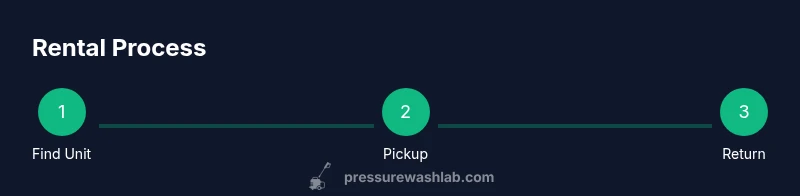
Renting a pressure washer from Ace Hardware follows a simple sequence that you can complete within a few hours, depending on store traffic and availability. Begin by confirming the unit you want is in stock, reserving online if possible to minimize wait times. Bring your ID and payment method for the deposit, and plan for a quick safety briefing at pickup. Inspect the unit and accessories, connect water supply, and review the safety instructions before you start cleaning. After use, drain any residual water, clean the unit and fittings, and return with all attachments. A store receipt confirms the return and deposit status. This approach keeps the process smooth and reduces the risk of extra charges.
- Reserve ahead when possible to secure a suitable model
- Verify your required accessories before checkout
- Follow a quick safety briefing and surface test
Practical tips for a smooth rental experience
- Reserve online or call ahead to reduce wait times and lock in the best unit for your task.
- Bring a valid ID and the payment method used for the deposit; keep your receipt handy for returns.
- Test a small area first and demonstrate the test on a discreet spot to confirm surface safety.
- Hydration and safety gear are essential: wear eye protection, gloves, and sturdy shoes; keep bystanders at a safe distance.
- Clean the unit before returning it to avoid cleaning fees and ensure a smooth deposit refund.
Pressure Wash Lab notes that pre‑planning and a quick safety review can save time and prevent damage to surfaces during rental use. The brand’s emphasis is on responsible use and choosing the right unit for the job, avoiding overkill or damage.
Safety and maintenance reminders
Safety is the top priority when using rented equipment. Always read the manual and adhere to the store’s guidance for start-up, operation, and shutdown. Never point the spray at people, animals, or fragile surfaces, and avoid running the unit with the wand extended toward yourself. Regular maintenance steps such as checking hoses for kinks, inspecting fittings for leaks, and ensuring the unit is clean before return help prevent wear and hidden fees. The Pressure Wash Lab team recommends returning the unit in the same condition as received, with a record of any issues noted at pickup. As a reminder, the Pressure Wash Lab analysis shows that following proper procedures minimizes damage risk and ensures you get the best possible results from your rental.
- Always use compatible detergents and cleaning solutions
- Keep hoses organized and away from the spray line
- Document any problems at pickup and keep your receipt for the return
- The Pressure Wash Lab team recommends renting for short-term needs and avoiding frequent ownership costs
Authority sources
- OSHA.gov: General safety guidelines for powered cleaning equipment and personal protective equipment.
- CPSC.gov: Consumer product safety information and usage tips for outdoor cleaning tools.
- EPA.gov: Environmental and safety considerations for cleaning and maintenance.
Tools & Materials
- Valid government ID(Driver's license or passport for rental agreement)
- Credit or debit card(Used for security deposit at pickup)
- Pressure washer unit(Select model based on PSI, GPM, and task requirements)
- Hoses and nozzle attachments(Include basic spray nozzle; request specialty nozzles if needed)
- Personal protective equipment (PPE)(Safety goggles, gloves, closed-toe shoes)
- Extension cords/power supply (for electric units)(Only if renting an electric model)
Steps
Estimated time: 3-6 hours
- 1
Assess project needs
Identify the surfaces you’ll clean and the level of grime involved to determine the minimum PSI/GPM requirements. Consider environmental concerns, nearby plants, and nearby ventilation. This helps you avoid renting more machine than you need and protects delicate surfaces.
Tip: Match surface type to unit power; start with the gentlest option and test a small area. - 2
Check rental availability
Search for your local Ace Hardware, verify inventory for the model you want, and reserve online if possible. If you must visit in person, call ahead to confirm stock and store hours to save time on pickup.
Tip: Online reservations often guarantee a unit, reducing wait times. - 3
Prepare required documents
Bring a valid ID and the payment method used for the deposit. Have your confirmation number handy if you reserved online. This speeds up the checkout and reduces the chance of a hold at pickup.
Tip: Double-check that your ID matches the rental agreement name. - 4
Inspect the unit and accessories
Before leaving the counter, inspect the hose, wand, and spray tips for wear or damage. Confirm all included accessories are present and that the unit powers on and runs briefly without leaks.
Tip: Take photos of any preexisting damage to avoid disputes at return. - 5
Set up water supply and power safely
Connect the unit to a water source with a stable supply. Use the appropriate power source for the model (electric or gas) and avoid using extension cords with high‑draw appliances. Follow the manual for startup and shutdown sequences.
Tip: Never spray toward electrical outlets or without water flow. - 6
Return the unit and finalize charges
Drain residual water, clean the nozzle and fittings, and return all parts as received. Obtain a receipt or confirmation of return to verify deposit status and avoid post‑return charges.
Tip: Keep your return receipt until your deposit is fully refunded.
Quick Answers
Do I need a deposit to rent from Ace Hardware?
Most Ace Hardware rental locations require a valid ID and a refundable security deposit; the exact amount varies by store and unit. The deposit is returned after inspection if the unit is in good condition.
Yes. A refundable security deposit is usually required at pickup; amount varies by store and unit.
What PSI/GPM should I rent for typical projects?
Choose a unit that matches the task; use lower PSI for delicate surfaces and higher PSI for tougher grime. A staff member can help pair your job with the right PSI and GPM for best results.
Start with a lower setting and increase only as needed after testing a small area.
Can I rent for a weekend or longer?
Yes, many Ace Hardware locations offer daily or weekend rental windows. Availability varies by store, so check online or call ahead to confirm.
Yes, you can usually rent for weekends or several days—just verify pickup times.
What safety gear should I wear when using a rented pressure washer?
Wear eye protection, gloves, and sturdy shoes. Keep bystanders away and follow the unit's safety instructions for safe operation.
Always wear protective gear and maintain a safe distance from others.
Are hoses and nozzles included with rental?
Most locations provide basic hoses and a nozzle kit; verify at pickup and request any specialty nozzles if needed.
Yes, basic hoses and nozzles are usually included; check with staff for extras.
How do I avoid extra charges on return?
Return the unit clean and undamaged; take photos if needed. Ensure all parts are present and in good condition to secure your deposit refund.
Return it clean and undamaged to avoid extra fees; keep your receipt.
Watch Video
Key Takeaways
- Identify project scope and choose the right unit first.
- Bring ID and a deposit; complete checkout smoothly.
- Reserve ahead to minimize wait times and ensure stock.
- Return the unit clean and with all parts to avoid extra fees.