Fix a Pressure Washer That Stops After a Few Minutes
Practical, urgent troubleshooting to fix a pressure washer that stops after a few minutes. Identify common causes, apply quick checks, and follow a step-by-step plan to restore reliable cleaning.


Most likely the pressure washer stops after a few minutes due to overheating, water supply problems, or a clogged nozzle. Start by verifying steady water flow, cleaning the inlet filter, and ensuring the supply hose is clear. If it overheats, allow cooling and then test again before proceeding to deeper fixes.
Why a pressure washer stops after a few minutes
If you notice the pressure washer stops after a few minutes, you’re dealing with a common symptom that can have multiple causes. According to Pressure Wash Lab, overheating, water flow limits, a clogged filter, and a faulty unloader valve top the list. The key is to diagnose systematically before rushing to replace parts. By tackling the easiest checks first, you can rule out simple problems and keep your project moving forward. This guide emphasizes urgency and practical steps to get you back to work quickly, along with safety reminders to protect yourself and your equipment.
In many households, a sudden shutdown is not a failing motor but a protective response. Pressure Wash Lab’s analysis, 2026, shows that most stops are related to water supply issues, debris in the filter, or overheating caused by restricted airflow or excessive duty cycles. With a calm, methodical approach, you can identify the real culprit without unnecessary part swaps.
Check the Water Supply and Inlet Filter
A steady water supply is essential for uninterrupted operation. Start with the simplest checks: confirm the inlet hose is full of water (no air pockets), the faucet is fully open, and there are no kinks in the line. Inspect and clean the inlet filter screen to remove sediment and scale that can restrict flow. If your unit has a water filter, remove and rinse it, or replace if dirty. A restricted supply is a frequent cause of the unit stopping after a few minutes, and addressing it is often the fastest fix.
Tip: Disconnect power before handling hoses or filters. A quick test is to connect a known-good supply hose and see whether the unit maintains pressure longer. If the water supply is marginal, consider a dedicated flow regulator or a larger-diameter hose for consistency.
Inspect the Unloader Valve and Pump Load
The unloader valve controls pressure by redirecting water flow when the trigger is released. If it sticks or is stuck in a closed position, the pump may sense overload and shut off after a short run. Inspect the unloader valve for dirt, wear, or spring binding. Cleaning or replacing the valve can restore normal operation. Also check for signs of pump overload, such as abnormal noise, vibrations, or sudden loss of pressure. If cleaning doesn’t fix the issue, valve replacement or professional adjustment may be needed.
To reduce risk, perform shutdowns between checks and avoid forcing the valve through resistance. Make sure you’re using the correct nozzle for your PSI range and that the pump head is free of debris. A mismatched nozzle can cause the system to work harder and overheat faster.
Clear the Nozzle and Hoses; Check Air Entraining Paths
Debris in the nozzle can dramatically alter performance and trigger protective shutdowns. Remove the nozzle tip and flush water through the line to dislodge any blockage. Check the spray wand and hose for kinks, cracks, or leaks that can cause air to enter the system and lead to cycling or stoppage. Ensure the wand connection is tight and the quick-connects are clean. If your unit relies on an air intake for cooling, make sure it is unobstructed and that vent slots are not blocked by dirt or debris.
If you’re using a long hose, ensure it’s rated for high pressure and not collapsing under load. A collapsing hose can reduce flow to the point of overheating the pump. Regularly inspect hoses for wear and replace any that show cracks or bulges.
Monitor Cooling, Ventilation, and Duty Cycle
Overheating is a common cause of the symptom pressure washer stops after a few minutes. Ensure the cooling vents are clear of dust and obstructions. Operate the unit in a well-ventilated area and avoid operating on soft surfaces that trap heat. Allow the unit to cool between longer runs to prevent thermal shutdown. If the machine has a thermal switch or built-in protection, note whether the reset is required after a shutdown. Persistent overheating may require service to verify fans or internal cooling passages.
If you use the machine in hot weather, consider shorter bursts with longer cool-down periods or a larger-duty-cycle unit rated for higher heat tolerance. A simple check is to measure the temperature of the pump head after a run; if it’s too hot to touch comfortably, pause and cool down.
Electrical Considerations and Safe Testing
Electrical issues can manifest as stalls or intermittent shutdowns. Inspect the power cord for cuts, nicks, or exposed conductors. Use a grounded outlet and avoid extension cords that are not rated for outdoor use or that are too long for the unit’s draw. If the outlet shows signs of tripping or buzzing, test the pressure washer on a different circuit. Ensure the GFCI is functioning and not inadvertently tripping during startup. Do not operate the unit with damaged plugs or cords.
When in doubt, test with a known-good extension cord and the minimum length necessary. If you suspect the circuit is overloaded, distribute load across circuits or consult a licensed electrician for safety.
Safety note: Never bypass safety features or run the unit with a suspected electrical fault.
Diagnostic Flow: Symptom-to-Solution Path
This section provides a practical mental map to diagnose the stops-after-minutes symptom. The flow is simple and repeatable:
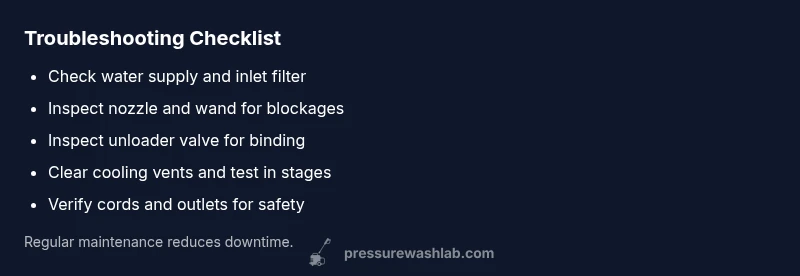
- Symptom: Pressure washer stops after a few minutes. Check the water supply, inlet filter, and nozzle first. If these pass, inspect the unloader valve and pump load. If the unit still stops, evaluate cooling and electrical safety.
- If the problem isn't resolved after the basic checks, move to more involved tests like verifying the pressure switch settings and pump seals. If you cannot locate a fault or the unit continues to stop, seek professional service to avoid further damage.
By following this flow, you can quickly determine a likely cause and apply the least invasive fix first.
Step-by-Step: Quick Fixes You Can Try Now
- Power off and unplug the unit; detach from water supply. Ensure all safety steps are followed and the unit is completely de-energized before touching components. Tip: Use a magnetic tray to hold small screws and keep the area dry.
- Inspect the inlet and filter; remove any debris. Clean or replace the filter if necessary. Reinstall and run a quick test with the water supply fully open. Tip: Rinse the filter under running water to flush out stubborn sediment.
- Check the nozzle and wand for blockages. Clean the nozzle or swap to a different tip if possible. Reassemble and test at low pressure first. Tip: Do not reassemble a dirty nozzle—residual debris can cause rapid wear.
- Examine the unloader valve for dirt or binding. Clean and test; if binding continues, consider replacement or professional adjustment. Tip: Follow the manufacturer’s instructions for valve disassembly.
- Verify electrical safety: inspect the cord, plug, and outlet. Use a proper outdoor-rated extension cord if needed. Tip: Never run a damaged cord; replace it promptly.
- Run a brief test at a reduced pressure setting to confirm stability. If the unit still stops after a few minutes, record when the shutdown occurs (temperature, load, and settings) to aid a professional diagnosis. Tip: Keep a log for maintenance records.
TIPS & WARNINGS
- pro_tip: Regularly clean the inlet screen and nozzle to prevent performance drops.
- warning: Never run the pump dry or without water; this can cause immediate damage.
- note: Keep cool-down periods between long runs to prevent overheating.
- warning: If you smell burning or see smoke, stop immediately and unplug the unit to avoid fire risk.
- note: Use only manufacturer-approved parts for replacement to maintain warranty and safety.
KEY TAKEAWAYS
- Start with water supply checks first.
- Clean filters and nozzles to restore flow.
- Test cooling and unloader valve if stops persist.
- Always shut off power before maintenance.
When to Call a Pro and Maintenance Tips
If the problem persists after performing the basic checks and safe tests, it’s time to consult a professional technician. Ongoing issues often indicate problems with seals, impellers, or internal electronics that require specialized tools. Regular maintenance—clean inlet filters, inspect hoses, and store the washer properly—helps prevent repeated stops. For DIY enthusiasts, focusing on safe testing and documented steps minimizes risk while maximizing the chance you’ll fix the issue without a service visit.
Steps
Estimated time: 30-60 minutes
- 1
Power down and secure the unit
Shut off the unit, unplug from power, and close the water supply. Make sure the wand is depressurized before handling components. This sets a safe baseline for all subsequent checks.
Tip: Lock out and tag the switch if you’re working near others to prevent accidental startup. - 2
Verify water supply and clean inlet filter
Check the faucet, hoses, and ensure there are no kinks. Remove and rinse the inlet filter to remove debris. Reassemble and test for improved flow.
Tip: If flow is weak, upgrade to a larger-diameter hose for better water delivery. - 3
Inspect nozzle and wand for blockages
Detach the nozzle, flush the line, and inspect the tip for wear or blockage. Replace or clean the nozzle as needed and reattach.
Tip: Use the recommended nozzle for your PSI rating to avoid overworking the pump. - 4
Check unloader valve and pump load
Inspect the unloader valve for dirt and binding. Clean or replace if necessary and ensure the pump head is not under abnormal load.
Tip: Follow the manufacturer’s service notes to avoid damaging seals. - 5
Assess cooling and ventilation
Clear any dust from vents and ensure the unit has adequate airflow. If possible, use near a cool, shaded area and avoid direct sun during operation.
Tip: Consider shorter run cycles with longer cooldowns in hot environments. - 6
Test electrical safety and grounding
Inspect cords and plugs for damage, use outdoor-rated cords, and verify proper grounding. Run a controlled test with power minimal to confirm behavior.
Tip: Never bypass GFCI protection or use damaged electrical components.
Diagnosis: Machine stops after a few minutes
Possible Causes
- highOverheating due to restricted cooling vents or high ambient temperature
- highInsufficient water supply or kinks in inlet hose
- highClogged inlet filter or nozzle debris restricting flow
- mediumUnloader valve sticking or pressure relief maladjustment
- lowElectrical protection kicking in due to overload or worn extension cord
Fixes
- easyClear vents, ensure adequate airflow, and allow unit to cool before test
- easyCheck garden hose inlet, screen filter, and water supply; remove kinks
- easyClean or replace inlet filter, inspect nozzle for debris, and ensure correct nozzle for the unit
- mediumInspect unloader valve and adjust/replace if needed (or consult a pro)
- easyTest with a proper extension cord and verify electrical supply; replace damaged cords
Quick Answers
Why does my pressure washer stop after a few minutes even when it’s new?
New units commonly stop due to water supply issues, clogged filters, or overheating. Verify water flow, clean the inlet screen, and check for proper ventilation before assuming a faulty motor.
New units often stop because of water supply, clogged filters, or overheating. Start with the basics like water flow and filter cleaning.
Is overheating the main culprit behind this symptom?
Overheating is a frequent cause; ensure cooling vents are clear, avoid long continuous runs, and check that the pump isn’t undersized for the task.
Yes, overheating is a common reason. Clear vents and limit continuous run time to prevent thermal shutdown.
Can I fix a faulty unloader valve myself?
If you’re comfortable with basic service, you can clean or replace the unloader valve following the manufacturer’s guidance. If unsure, consult a professional.
You can try cleaning or replacing the unloader valve if you’re comfortable; otherwise, get a pro.
What maintenance helps prevent these stops?
Regularly clean filters and nozzles, monitor water supply, and store the washer properly to prevent debris buildup and overheating.
Routine cleaning and careful storage go a long way to prevent these stops.
When should I call a professional?
If the stops continue after all basic checks, or you notice burning smells, leaks, or unusual noises, seek professional help to avoid damaging the pump or electrical system.
If problems persist after checks, or you smell burning, call a pro.
Watch Video
Key Takeaways
- Start with water supply checks first
- Clean filters and nozzles to restore flow
- Test cooling and unloader valve if stops persist
- Always shut off power before maintenance